DOOMLING

Get your life back from the scroll.

A little pet sits on the apps that hook you, asks why you're there, and calls a break when time's up.

Android · No account · Free for your 2 worst apps

ScrollFeed
Swipe the feed →
001500
Calm

HOW IT WORKS · ONE VISIT WITH SNOW

How Doomling works

  1. 1

    Every visit starts with a choice.

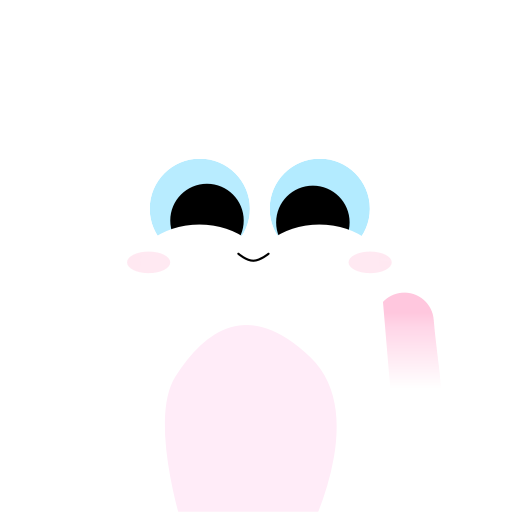
    Open one of your chosen apps and Snow pops up first: what are we here for?
  2. 2

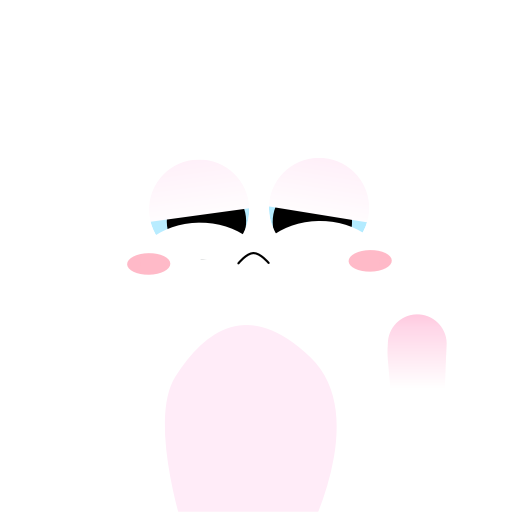
    Just browsing? Snow keeps time and gets grumpier.

    Snow hops onto a little grass timer. Calm, Restless, Annoyed, Angry: the mood follows the clock, so you feel it without checking.

  3. 3

    Time’s up? Take a real break.

    A break screen covers the app until your time refills. Your break keeps counting while you’re away.

That's the whole idea. Try it on your phone.

GET IT ONGoogle Play

HOW IT WORKS

One visit with Snow.

1

Every visit starts with a choice.

Open one of your chosen apps and Snow pops up first: what are we here for?

SCROLLFEED

Hey you. What are we here for?

Your time. Your choice.

Just browsingI’ll come along · 15:00 left
I have something to doI’ll wait outside · no timer, break continues
Leave ScrollFeedKeep your break progress
2

Just browsing? Snow keeps time and gets grumpier.

Snow hops onto a little grass timer. Calm, Restless, Annoyed, Angry: the mood follows the clock, so you feel it without checking.

Sped up
001500
3

Time’s up? Take a real break.

A break screen covers the app until your time refills. Your break keeps counting while you’re away.

OUT OF BROWSING TIME

That's our time for now.

Snow is ready again at9:40 PM

That's the whole idea. Try it on your phone.

GET IT ONGoogle Play

TRY THE CHOICE

Need the app for work? Just say so.

Run a page, reply to customers, send the photo. Tap an option on the phone and see what Snow does.

Hard blockers lock you out. Doomling asks.

Pick an option on the phone.

Pick an option on the phone.

ScrollFeed

SCROLLFEED

Hey you. What are we here for?

Your time. Your choice.

YOUR RHYTHM

You choose the rhythm.

Pick how long you browse and how long the break lasts, and see what your evening looks like.

Browsing time
Break

15 min · 2 hr break

At most 3 browsing windows between 6 pm and midnight, 45 min in total.

Need the app during a break? Tell Snow you have something to do. Browsing time is shared across all your chosen apps.

Set this rhythm in Doomling

YOUR YEAR

Where does the hour go?

The 2025 global average for social media is about 2 h 21 min a day (Statista via DemandSage). Find yours: Settings → Digital Wellbeing.

Pick a number that feels realistic.

35 days a year

That's 852 hours, and about 1 year over the next 10 years.

Hit your goal and you'd free up 578 hours a year.

This is arithmetic on your numbers, not a prediction. Doomling helps you make each scroll a choice; the result is yours.

Start with your 2 worst apps

YOUR JOURNAL

Walk away a little more each week.

Daily browsing, weekly averageSample data

PICK YOUR PET

Who's coming along?

Get Doomling with Snow

Snow and Iris are free.

Snow

A soft little companion with a lively personality.

001500

PRIVATE BY DESIGN · FREE TO START

Start with your 2 worst apps.

Plus never sells extra browsing time or a way out of a break.

No account, everOpen it and go.
Stays on your phoneSettings and Journal never leave it.
Never reads your screenIt only knows which app is open.
Why these permissions?

So your pet knows when you open one of your chosen apps. It never sees what’s inside them.

Free

Never expires

  • 2 apps of your choice
  • Snow and Iris
  • Today, this week, milestones and your year wrap

Doomling Plus

Try it before you pay

  • Every app you choose
  • All pets: Helia, Stubby, Monke and Stray join Snow and Iris
  • Your full history and trends
  • Pets can also be bought one at a time, to keep

Prices are shown in Google Play in your currency.

Questions

Does Doomling block my apps?

It gives every visit a choice. When browsing time is up, a break screen covers the app until your time refills. If you need the app for something real, tell your pet “I have something to do” and it waits outside.

Will it ask me every time I open an app?

Yes, each time you open one of your chosen apps after being away from them. That includes switching from another app or unlocking your phone. A brief interruption that leaves the app open doesn’t count. One tap answers it: “I have something to do” means no timer and no pet. If you don’t answer within 10 seconds, the visit counts as Just browsing. Opening an app from Doomling’s own launcher skips the question and starts browsing.

Can I leave my messaging apps out?

Yes. Doomling only joins the apps you pick, so leave messaging apps out and choose the feeds that pull you in. The free version covers 2 apps.

Can I skip the break?

Before your time runs out, yes, on purpose: choosing to browse cancels the break in progress. Once you’re out of time, the break runs its course, but “I have something to do” still lets you in for real tasks. Doomling makes skipping a conscious choice; it doesn’t fight you.

Does it read my screen or messages?

No. It only knows which app is open.

Why does it need “Display over other apps” and “Usage access”?

Usage access tells your pet when you open one of your chosen apps. Display over other apps lets your pet, timer and break screen appear there. Notifications are optional, to tell you when your time has refilled.

Can I change the browsing time and break?

Yes. Browsing time is 15, 30, 45 or 60 minutes, shared across your chosen apps, and breaks run from 30 minutes to 5 hours. Changes made mid-cycle apply from your next fresh allowance.

Is it free?

The free version covers 2 apps and never expires. Doomling Plus adds every app, your full history and all pets, and you can try it before you pay.

Is there an iPhone version?

Not yet. Doomling relies on Android features that let a pet appear over other apps.

How do I cancel Plus?

In Google Play → Payments & subscriptions → Subscriptions.

From hours to minutes, one choice at a time.

Free for your 2 worst apps. No account.